Actions and Stuff iOS (iPhone & iPad) Complete Guide (2026)
Many iPhone and iPad users search for Actions and Stuff iOS expecting an APK or direct download, but that’s not how it works on Apple devices. Unlike Android, iOS doesn’t support APK files. Instead, Actions and Stuff is available as a Minecraft Bedrock resource pack through the Minecraft Marketplace, where it can be purchased and activated directly inside the game.
This guide explains everything iOS users need to know, including availability, supported devices, installation steps, common issues, and whether it’s safe to use. If you’re playing Minecraft Bedrock on an iPhone or iPad, you’ll find the correct way to access and enjoy the pack.
Is Actions and Stuff Available for iOS?
Yes. Actions and Stuff is available for Minecraft Bedrock Edition on iPhone and iPad, but it is not distributed as an APK or IPA file. Apple devices don’t support APK installation, so the official way to use the pack is by purchasing and downloading it from the Minecraft Marketplace. This gives you the same animations, textures, and gameplay enhancements available on other supported platforms.
Can Users Install Actions and Stuff iOS?
Absolutely. If you own Minecraft Bedrock Edition on iOS, you can install the pack directly through the Marketplace. After purchasing it with Minecoins, Minecraft downloads the files automatically and adds them to your available resource packs. From there, you simply activate the pack and start playing. No jailbreak, sideloading, or third-party installer is required.
Why APK Files Don’t Work on iPhone?
APK files are designed for the Android operating system, while iPhones and iPads use Apple’s iOS platform. Because of this difference, iOS cannot install or run APK files. If a website claims to offer an Actions and Stuff APK for iPhone, it’s misleading. The safest and officially supported method is to use the Minecraft Marketplace.
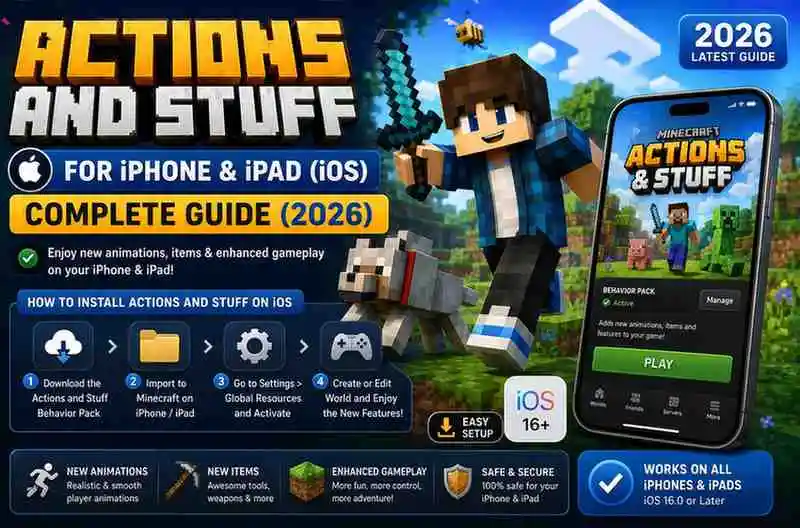
How to Get Actions and Stuff on iPhone
Getting the pack on iOS only takes a few minutes if you already have Minecraft Bedrock Edition installed.
Step 1: Open Minecraft
Launch Minecraft Bedrock Edition on your iPhone or iPad and wait for the home screen to load.
Step 2: Open the Marketplace
Tap the Marketplace button from the main menu, then use the search option to look for Actions and Stuff by Oreville Studios.
Step 3: Purchase the Pack
Buy the resource pack using Minecoins. Once the purchase is complete, Minecraft will automatically begin downloading it to your device.
Step 4: Activate the Resource Pack
Go to Settings → Global Resources, find Actions and Stuff, and activate it. Open any world to enjoy the improved animations and visual enhancements.
Requirements for iPhone & iPad
| Requirement | Details |
| Game | Minecraft Bedrock Edition |
| Platform | iPhone & iPad |
| Installation Method | Minecraft Marketplace |
| Internet | Required for Purchase & Download |
| Minecoins | Required to Buy the Pack |
| Apple ID | Required for Marketplace Purchases |
Supported Minecraft Versions
The pack is designed for Minecraft Bedrock Edition and receives updates to stay compatible with newer releases. Keeping Minecraft updated helps ensure the latest animations, textures, and features work correctly.
Common iOS Installation Problems
Can’t Find the Pack
Search for Actions and Stuff exactly and verify that the creator is Oreville Studios.
Purchase Won’t Complete
Check your Apple ID payment method and make sure you have enough Minecoins before trying again.
Pack Doesn’t Appear
Restart Minecraft and check Settings → Global Resources. If necessary, sign out and back into your Microsoft account.
Animations Are Missing
Confirm the pack is activated and placed above any conflicting resource packs. Running multiple animation packs together can cause conflicts. Community discussions also recommend adjusting pack settings when needed.
Tips for the Best Experience
- Keep Minecraft updated to the latest version.
- Avoid enabling multiple animation packs together.
- Restart Minecraft after activating the pack.
- Check for new Marketplace updates regularly.
- Use only official or trusted sources for information and downloads.
Pros and Cons
| ✅ Pros | ❌ Cons |
| Official support for iPhone and iPad | No APK or IPA installation |
| No jailbreak required | Requires Minecraft Marketplace purchase |
| Automatic updates through Marketplace | Minecoins are needed to buy the pack |
| Easy activation inside Minecraft | Requires Minecraft Bedrock Edition |
Is Actions and Stuff Safe for iOS?
Yes. When downloaded through the Minecraft Marketplace, the pack is considered safe because it comes from the verified creator Oreville Studios and installs using Minecraft’s built-in resource pack system. It doesn’t require device modifications or access to sensitive iPhone settings.
Frequently Asked Questions
Can I download an APK on iPhone?
No. iPhones and iPads do not support Android APK files.
Do I need to jailbreak my iPhone?
No. The pack works without jailbreaking because it’s installed through the Minecraft Marketplace.
Is the iOS version different from Android?
No. The animations and core features are essentially the same, although iOS users receive updates through the Marketplace.
Does it work on iPad?
Yes. Supported iPad models running Minecraft Bedrock Edition can use the pack through the Marketplace.
Conclusion
If you’re an iPhone or iPad user, the best way to enjoy Actions and Stuff is through the Minecraft Marketplace. While iOS doesn’t support APK installation, the official Marketplace version offers the same high-quality animations, visual improvements, and smooth gameplay experience. Simply purchase the pack, activate it in Minecraft, and enjoy a more immersive Bedrock adventure.